
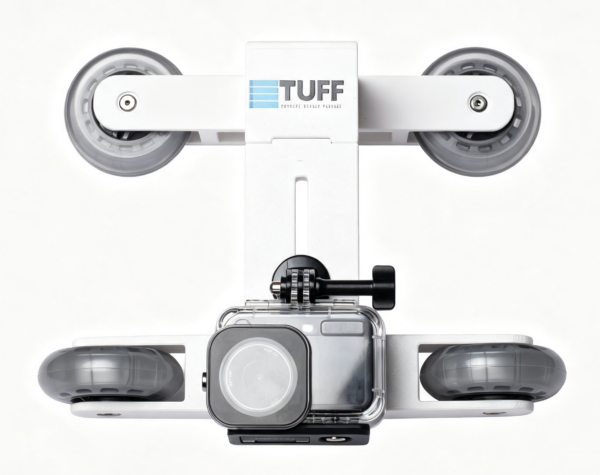
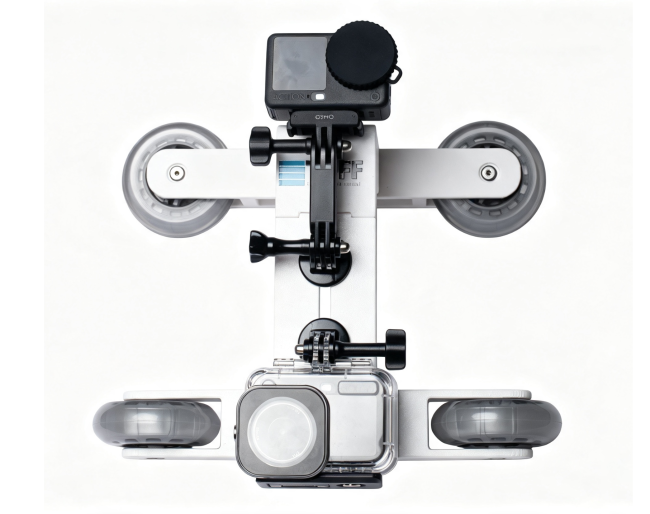
Connect the Overwater action camera using another tripod mount adapter and screw. Attach an extension arm here so the action camera can be positioned overwater.
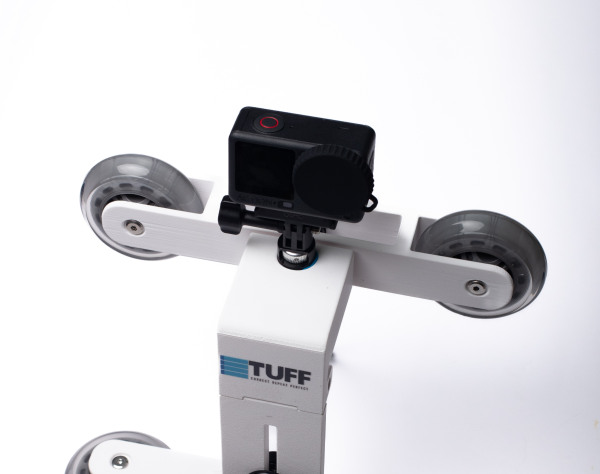
Connect the Overwater action camera using tripod mount adapter and screw.
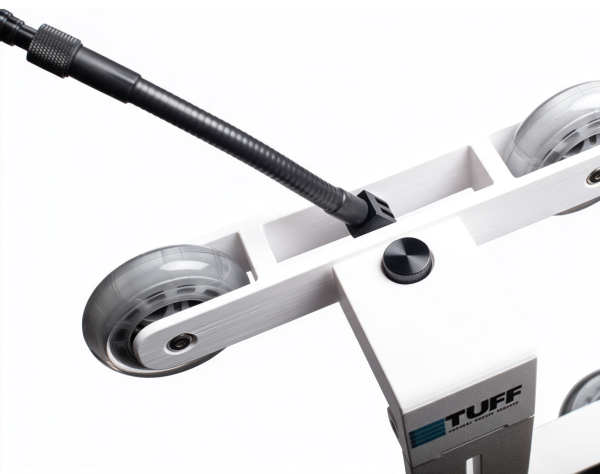
Connect the gooseneck extension to the telescopic pole. This allows your telescopic pole to rotate freely at any angle.
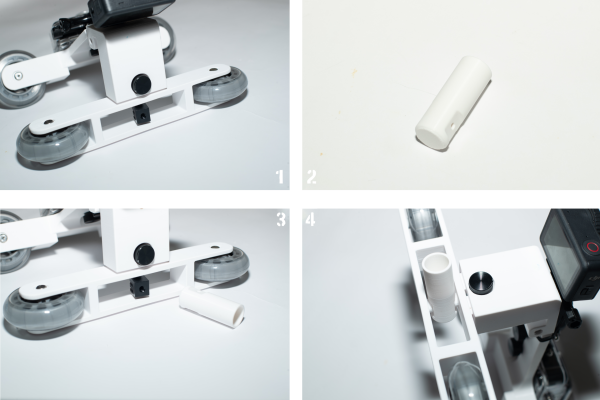
Replace the original metal connector with a plastic joint. You can connect TUFF telescopic pole or any type of pole you currently have to the plastic joint.
Based on his own experience shooting over-under swimming videos, TUFF Glide creator BOXIU JIANG summarizes the following tips to help you shoot better over-under content:
Settings tip:
1.the underwater cameras lens view should be set to “wide” (Water refracts light and magnifies the image)
2.the overwater camera lens view should be set to “Normal/ Linear”
3.When you are ready to start, press record on both cameras simultaneously.
4.After the power on say 1.2.3 then followed by Knocking on the TUFF Glide 3 times,This all helps align the timestamps of both videos to play the above-water and underwater footage simultaneously. combining of the footage easier.
5.While filming, try to keep both wheels inside the finger grip and avoid lifting or change the camera angle.
6. When swimming, Swimmers should stay close to the lane rope rather than getting too close to the camera, because being too close to the lens will make them look oversized in the frame
7. When filming your swimmer, aim at the swimmer’s waist to capture the full body,and push TUFF Glide
8. Keep the TUFF Glide moving smoothly alongside the swimmer. Inconsistent movement makes video stitching much more difficult.
This is a tutorial video to teach you how to make an Over-Under water video with Capcut free software.
Using Capcut software, you can merge Overwater and Underwater footage into one single, synchronized view.
Before we release the TUFF Software, Capcut is an alternative. While being more difficult to align than the TUFF Software we are currently working on.
We are currently almost done with our TUFF software, it’s more easy to make the Over-Under view video. Stay tuned.
Step 6: Film your first video